
Driver prestart checks
Run the daily prestart checklist on a phone — no login required.
TorqueOS prestarts are the daily walk-around checks operators run before an asset leaves the yard. They're designed for phones and do not require a login — a driver scans a sticker on the asset, runs the checklist, and submits. Failed items automatically raise a defect.
Two paths
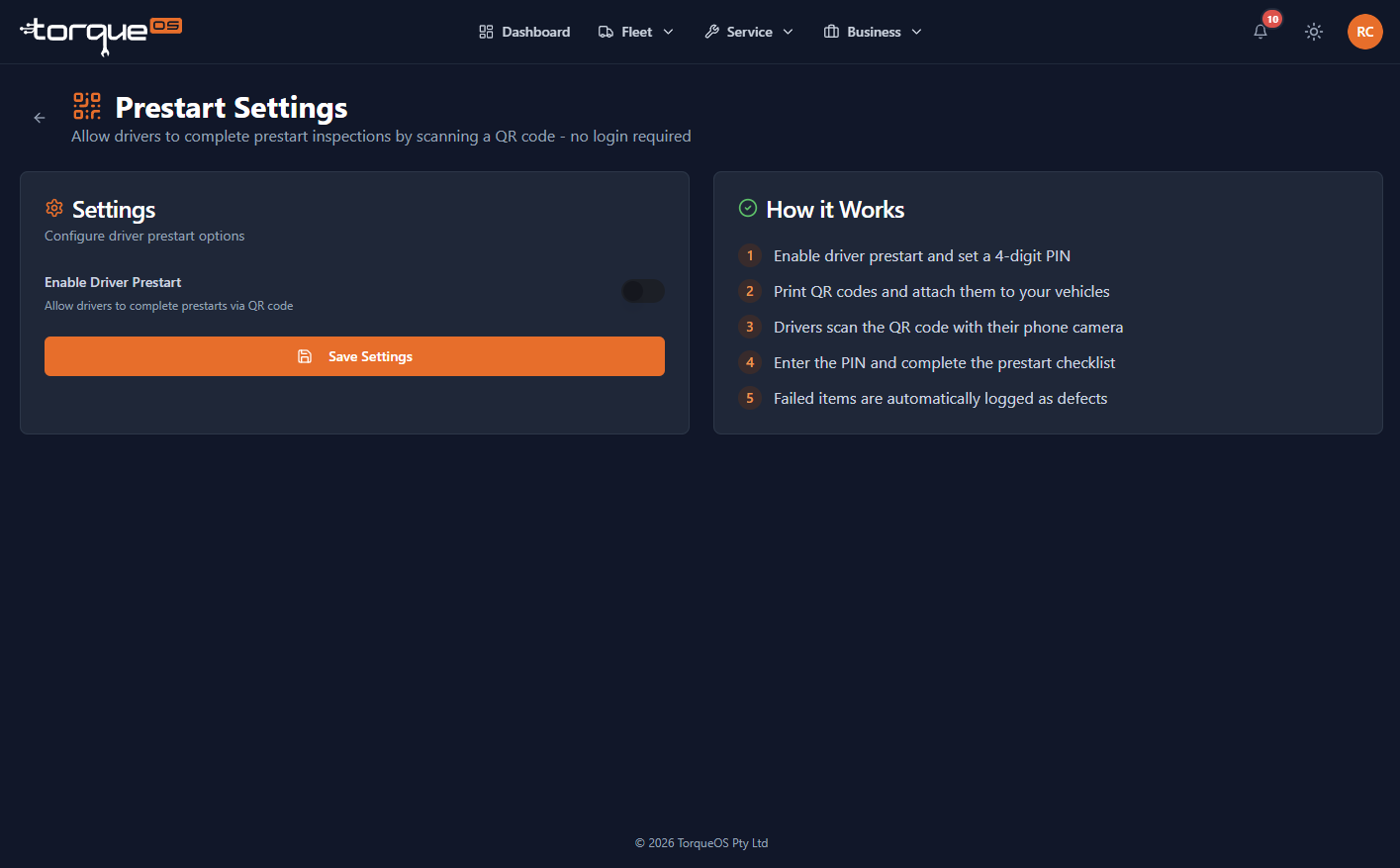
- Sticker-based (PIN-protected) — print a QR code sticker for each asset; drivers scan and enter a short PIN that you set per-asset. No login. Works on any phone with a camera. Recommended for shared driver pools.
- Logged-in user — a Fleet User signs in and runs the prestart from inside the app. The prestart is attributed to their user account. Recommended when drivers have personal logins anyway.
Enable a sticker-based prestart for an asset
- Open the asset detail page.
- Scroll to Driver prestart and click Enable.
- Pick which prestart template to use (the workshop's seeded ones, or one you authored).
- Set a 4-digit PIN that drivers will enter to start a check.
- Print the QR sticker (PDF) and stick it inside the cab or on the dash.
What the driver sees
- Scan the QR with a phone camera.
- Enter the 4-digit PIN.
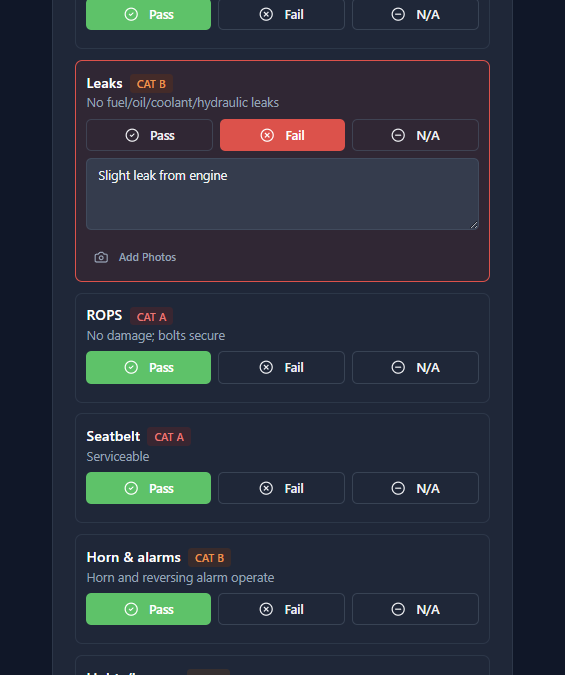
- Run through the checklist — Pass / Fail / N/A per item.
- For any fail, take a photo and add a note.
- Enter the current odometer (the meter check is built in — you can't roll back).
- Tap submit.
Failures auto-create defects
If any check item is marked Fail, TorqueOS creates a defect on the asset with the item's name, the photo, and the driver's note. Critical-marked items (configured on the template) ground the asset until the workshop signs it off.
Where to see prestart history
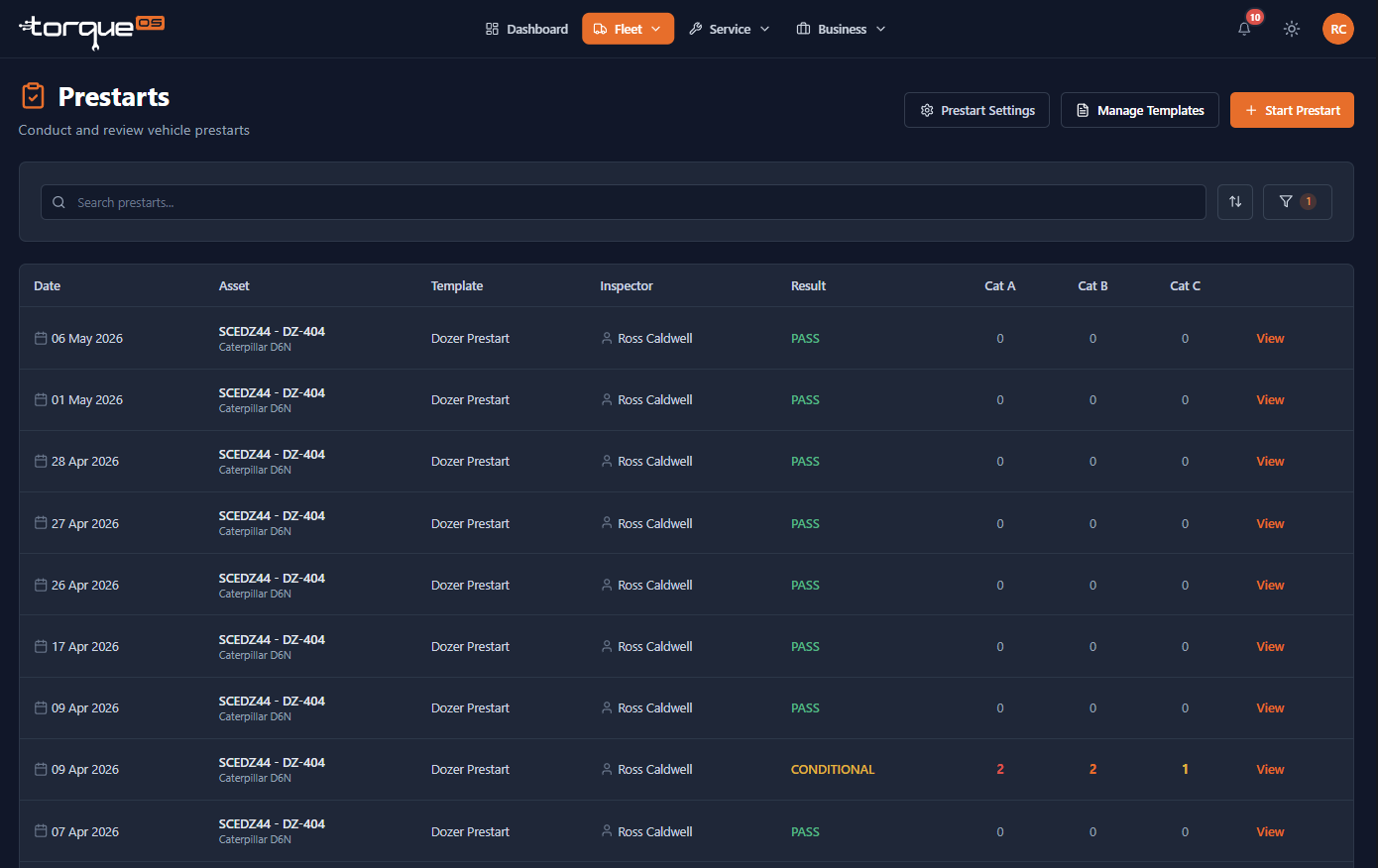
Open the asset detail and scroll to Prestart history — every submission with timestamp, operator name (or "anonymous" for sticker submits), pass/fail summary, and link to the resulting defect if there was one.
Still stuck? Email support@torqueos.net with your tenant name and a brief description and we'll get back to you the same business day.