
Submitting a defect report
Log faults found during a job or inspection, attach photos, and submit to your workshop.
A defect in TorqueOS captures a fault found on an asset — a flat tyre, a warning light, a leaking seal, a chip in a windscreen. Defects can sit as a record on the asset, get bundled into a work order for your workshop to action, or both.
Categories
- Cat A — major; the asset should not operate until rectified.
- Cat B — needs attention soon, but operation can continue with caution.
- Cat C — minor / cosmetic / can wait for the next service.
Categories drive the priority on any work order created from the defect, and bubble critical items to the top of the workshop's queue.
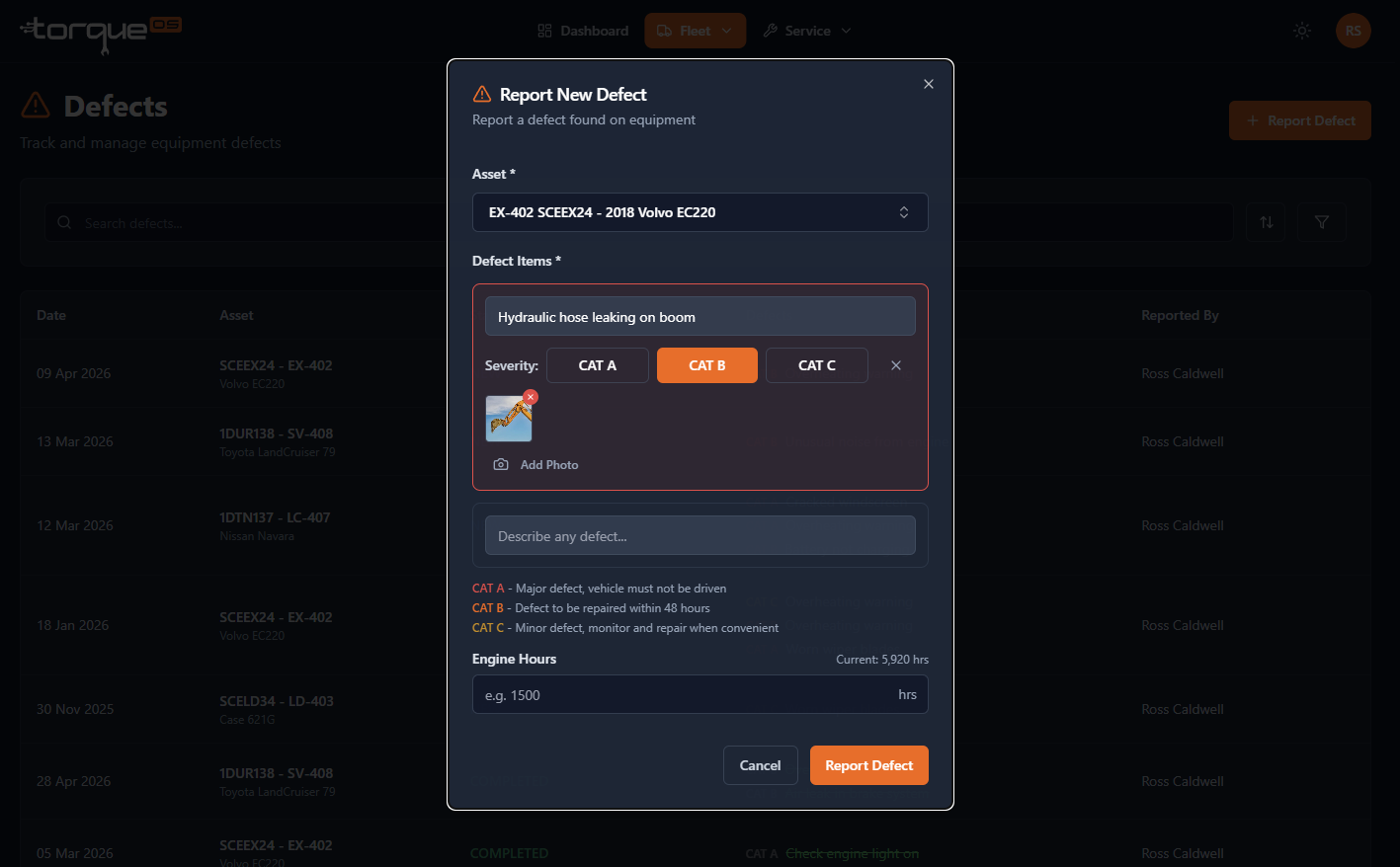
Submit a defect
- From the navbar, open Defects and click New defect.
- Pick the asset.
- For each fault, add a description and pick a category. You can add multiple items under one defect record (e.g. "trailer inspection — tyre, brake light, mudflap").
- Attach photos — drag-and-drop or take a photo from a phone camera.
- Enter the current odometer / engine hours so the workshop knows the meter at the time.
- Click Submit.
What happens next
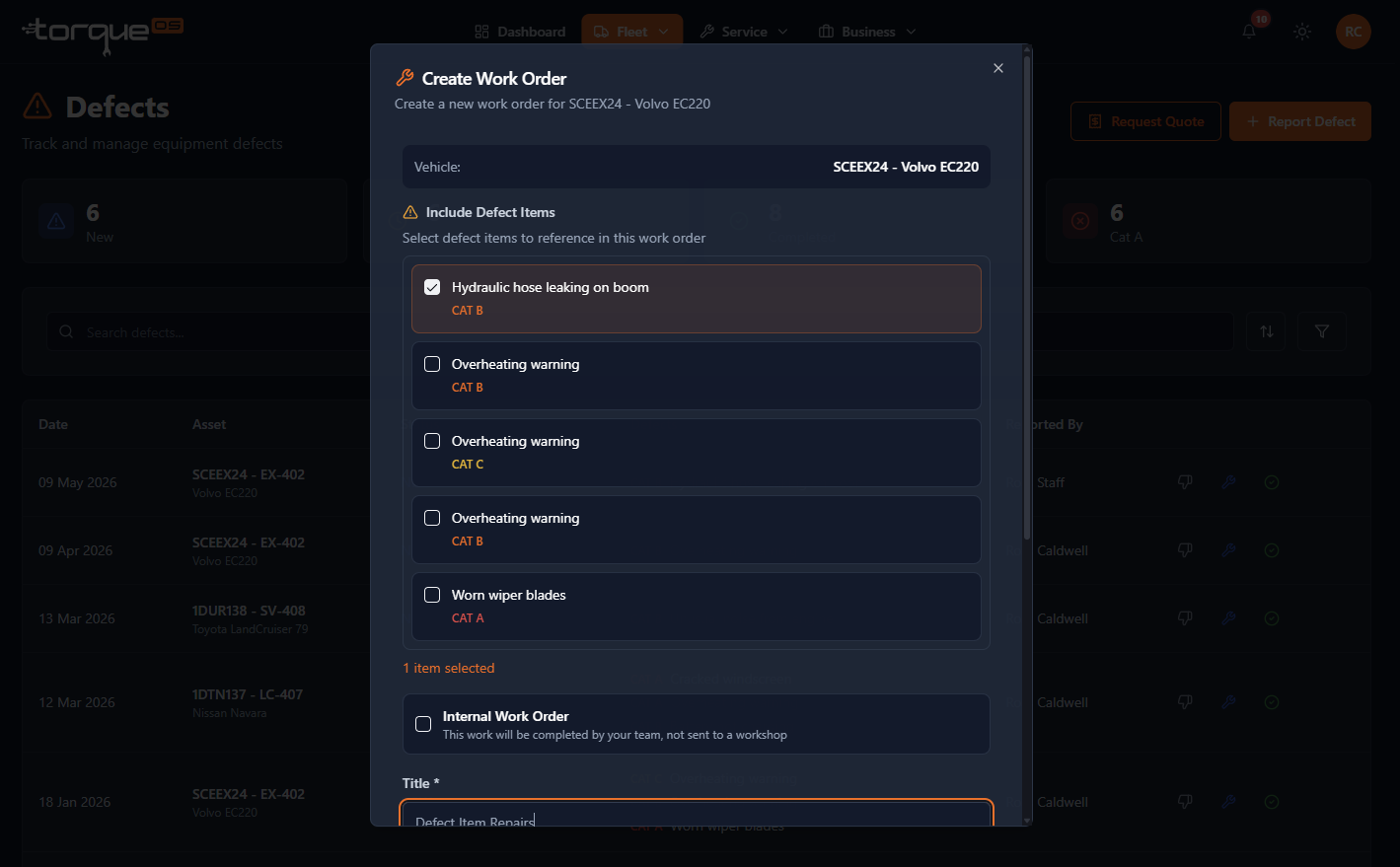
If you're linked to a workshop, the defect is visible to them immediately. They decide whether to roll it into an existing work order, create a new one, or push back if it's not actionable. You'll see status updates as they progress through.
Self-managed fleets can convert a defect to an internal work order with one click from the defect detail page.
Mobile-friendly
The defect submission flow is designed for a phone — drivers can raise a defect from the yard with photos straight from the camera, no app install needed. They just open the site in mobile Safari/Chrome and sign in.
Still stuck? Email support@torqueos.net with your tenant name and a brief description and we'll get back to you the same business day.