
Service templates
Build reusable checklists mechanics can run.
TorqueOS has two kinds of templates:
- Prestart templates — driver-facing daily checks. Run from a phone before the asset goes out for the day. Failures raise a defect.
- Service checklist templates — mechanic-facing tasks for a scheduled service (e.g. an A-service includes 12 items, B-service includes 24). Attached to a work order so nothing gets missed.
What gets seeded automatically
Onboarding seeds a starter library covering on-highway prime movers, off-road plant, earthmoving, and trailers. You can use them as-is, duplicate to customise, or build from scratch.
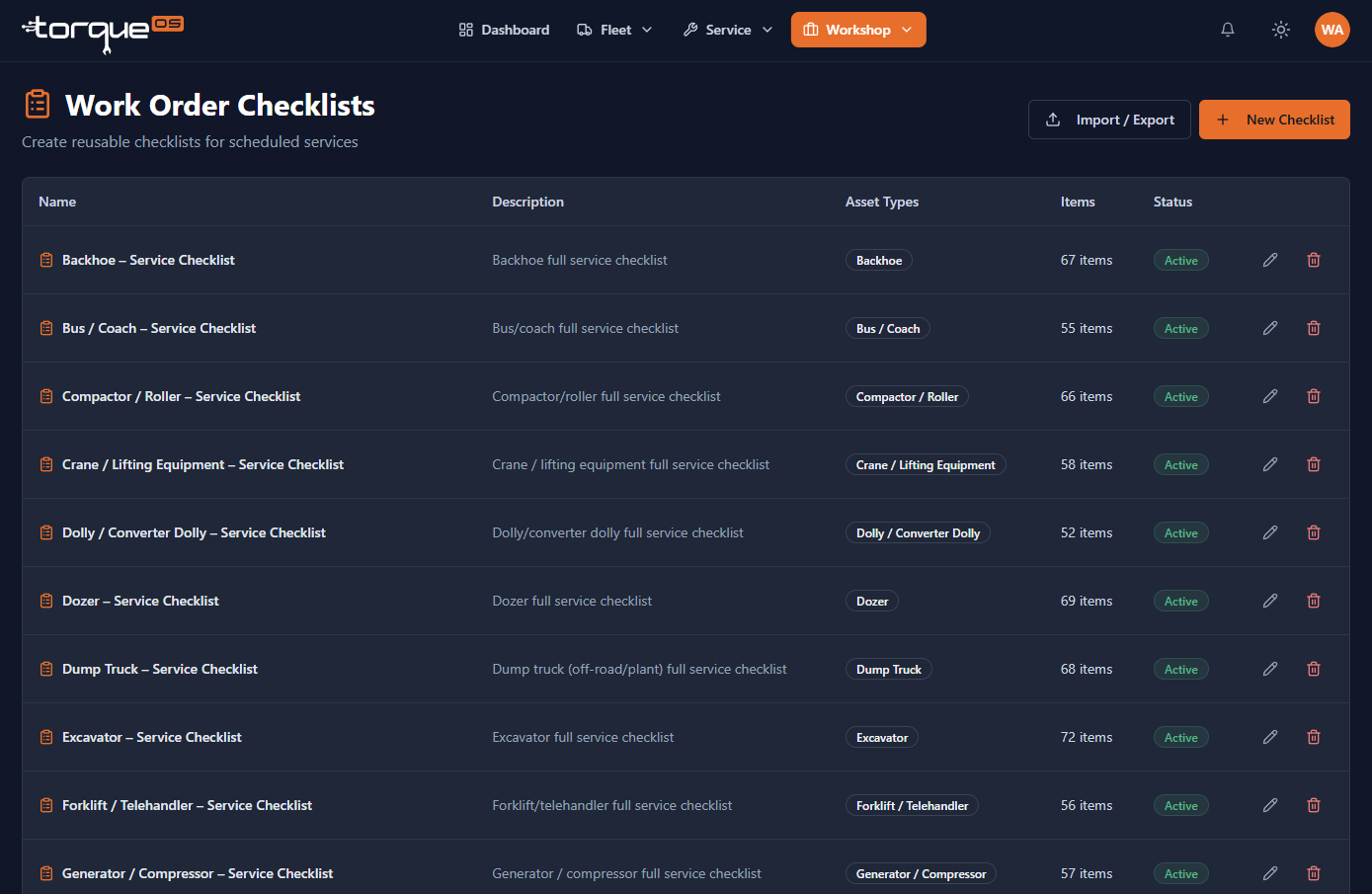
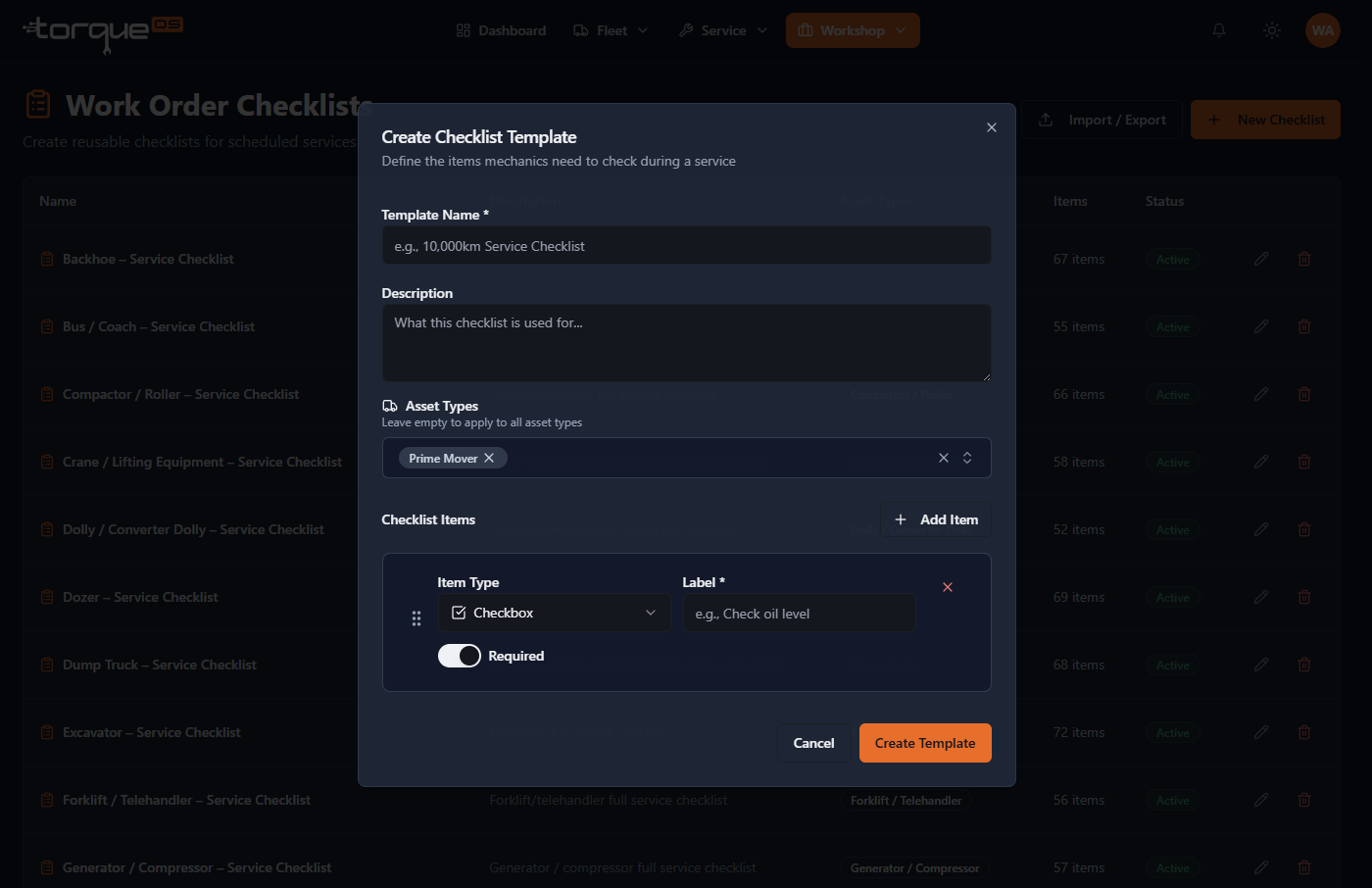
Build a service checklist template
Same workflow, just under Workshop › Service Checklists. Service items skip the result-type choice in fleet prestarts (they're always check/uncheck) and gain a category field (Engine, Drivetrain, Brakes, Electrical…) so the printed worksheet groups logically.
Mark an item as Required if the mechanic must complete it before the service checklist can be signed off — useful for safety-critical tasks you don't want skipped.
Rebuilding an Engine, Gearbox or Diff? A service checklist ensure all vital steps and backlash measurements are checked off and recorded.
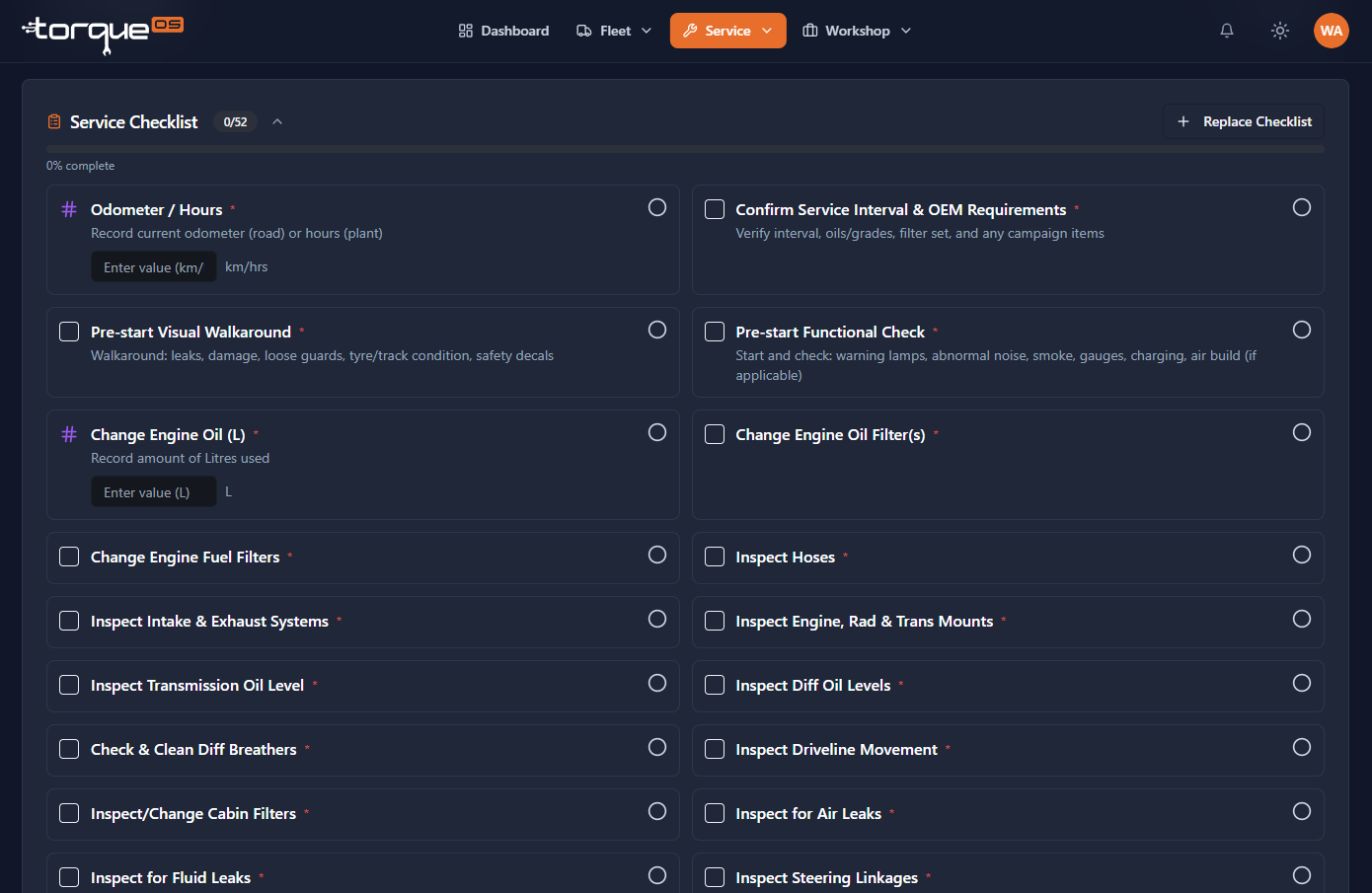
Attach a template to a job
On a work order, click Attach checklist and pick from your service templates. The mechanic sees an inline list with checkboxes; their progress saves as they go and prints on the completion PDF.
Still stuck? Email support@torqueos.net with your tenant name and a brief description and we'll get back to you the same business day.