
Accepting a workshop link
Connect with a workshop so they can see and service your assets.
A workshop link connects your fleet to a workshop in TorqueOS. While the link is active, the workshop can see your assets, log work orders against them, update odometers and service intervals, and respond to defect reports. You stay in control — you can cancel the link at any time, and a cancelled workshop only retains read-only access to records created during the link window.
Two ways links get created
- Workshop creates you, then invites you to log in. The most common path. The workshop sets up the link first; you receive an email invitation. When you accept and set a password, the link is already active.
- You request a workshop yourself. If you signed up as a self-managed fleet first and now want to engage a workshop, you can search and request the link.
Path 1 — Accept an invitation from a workshop
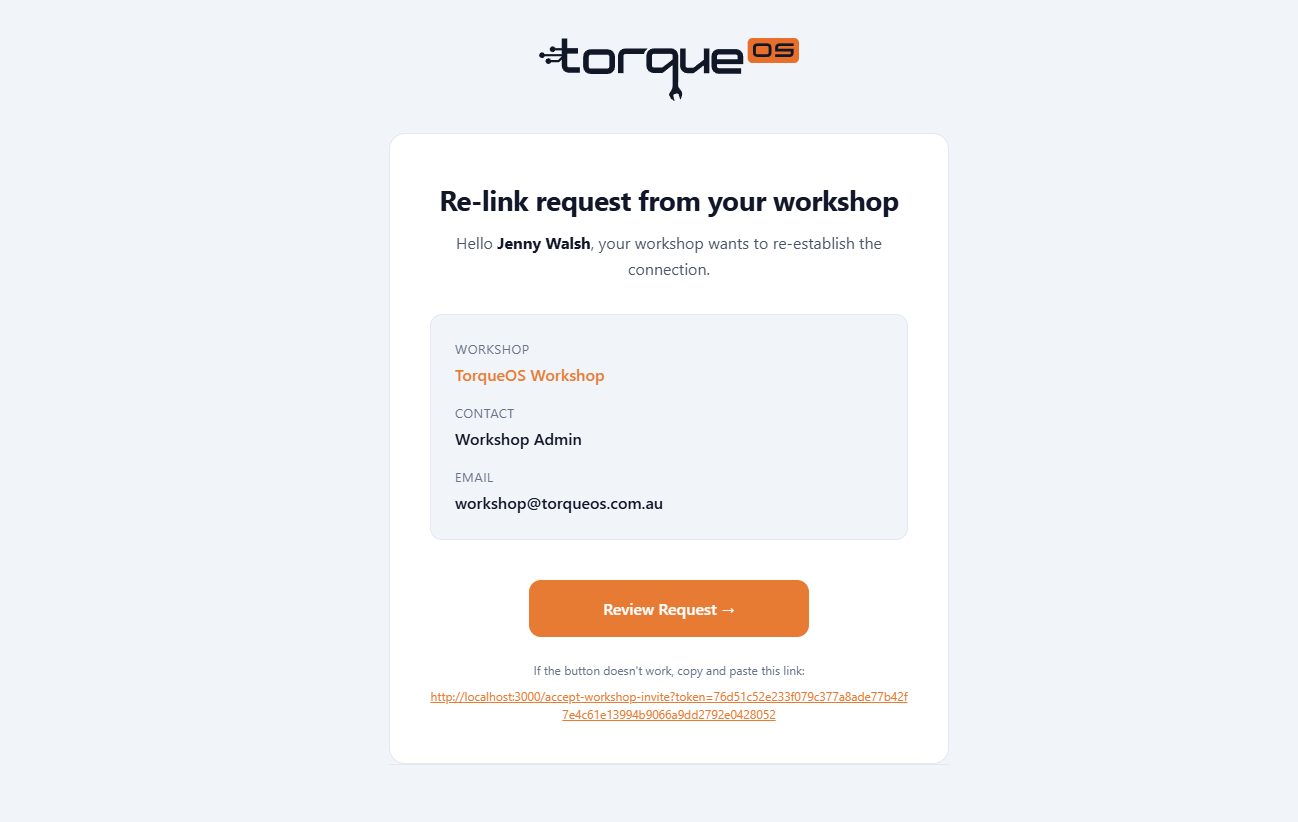
- You receive an email from
noreply@torqueos.netwith the workshop's name. - Click the link inside (it's good for 7 days).
- Set a password.
- You're landed in your fleet's tenant with the link already accepted.
Path 2 — Request a link to a workshop
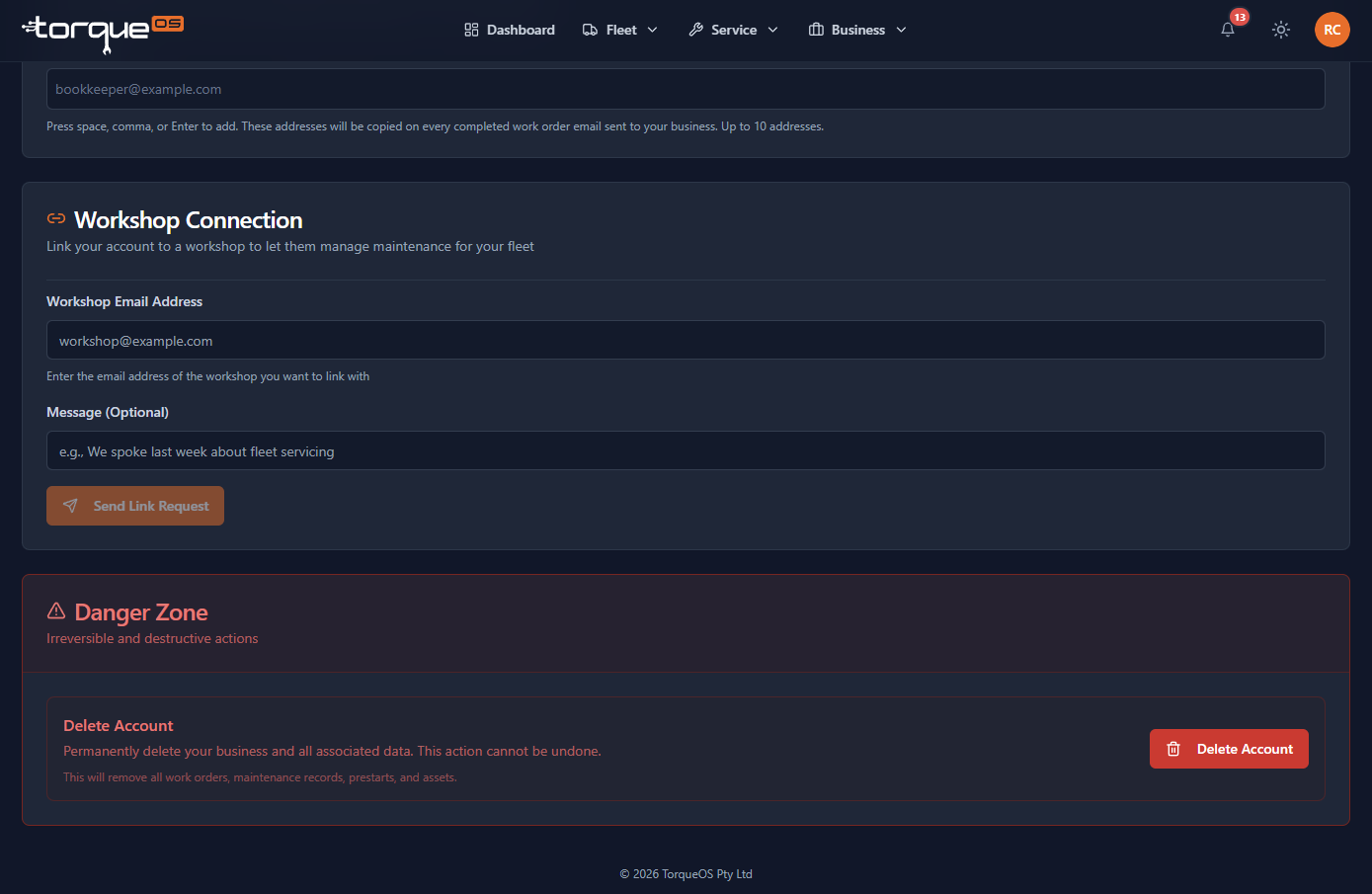
- Click your avatar (top right) and choose Business settings.
- Scroll down to the Workshop Connection section.
- Enter the workshop's email address.
- Click Request link and add a short note (optional).
- The workshop receives an email; they accept and the link goes live.
What the workshop can do while linked
- See and edit your assets (registration, VIN, odometer, schedules, filters)
- Create and update work orders against your assets
- See defects you've raised and respond to them
- See prestarts your drivers have run
- Generate PDFs and email them to your team
They cannot see your fuel records or internal-only work orders you create.
Cancelling a link
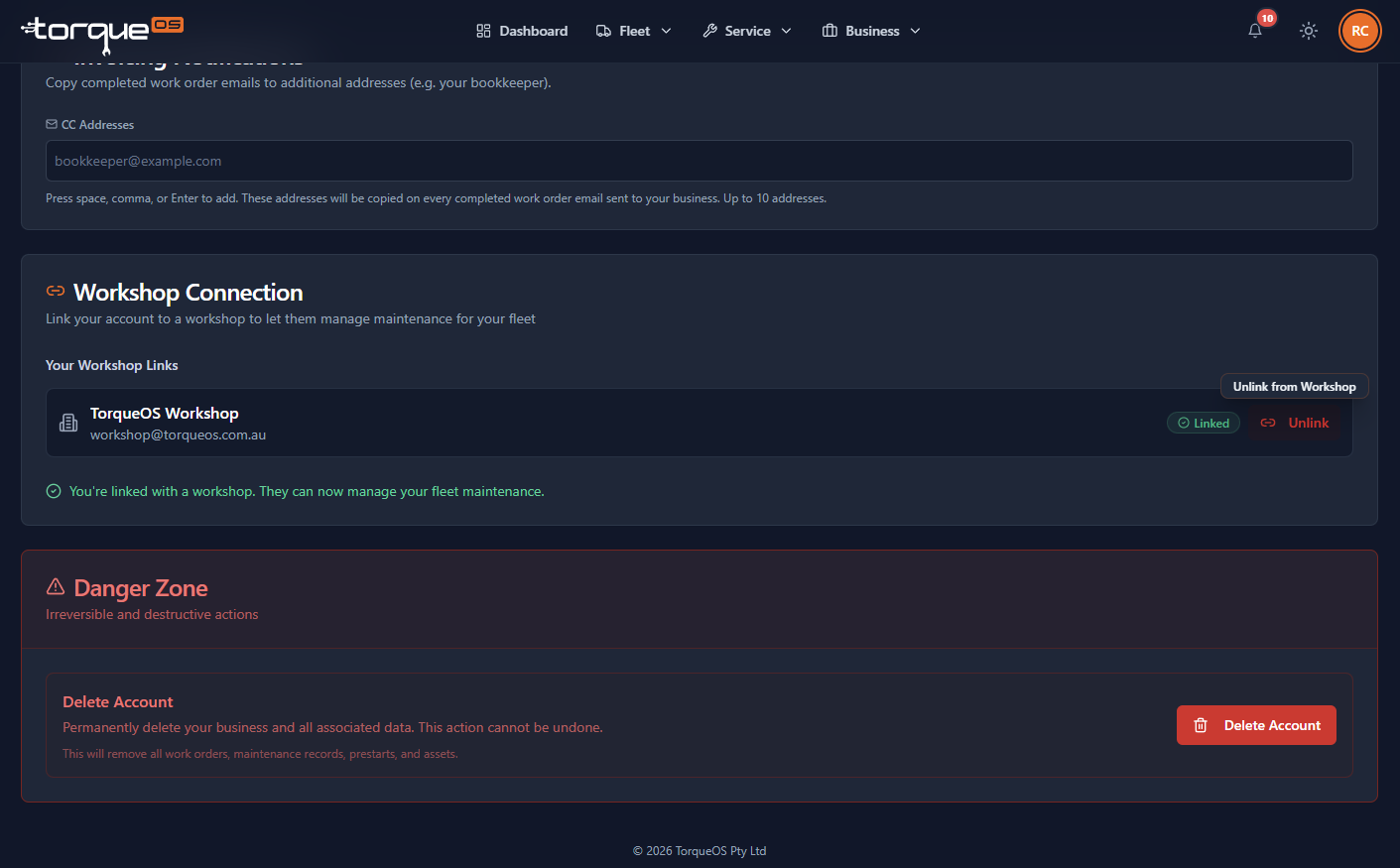
- Click your avatar (top right) and choose Business settings.
- Scroll down to the Workshop Connection section.
- Click Cancel link.
After cancellation, the workshop loses write access immediately. They keep read-only access to records created during the link window so they can answer questions about past work, but anything you change or add after cancellation is invisible to them.
Still stuck? Email support@torqueos.net with your tenant name and a brief description and we'll get back to you the same business day.