
Fuel tracking
Log fuel entries and track consumption per asset over time.
TorqueOS' fuel journal records every fill at the bowser — date, asset, litres, dollars, odometer, full-tank flag — and uses those records to compute consumption (km/L or L/100km) per asset over time.
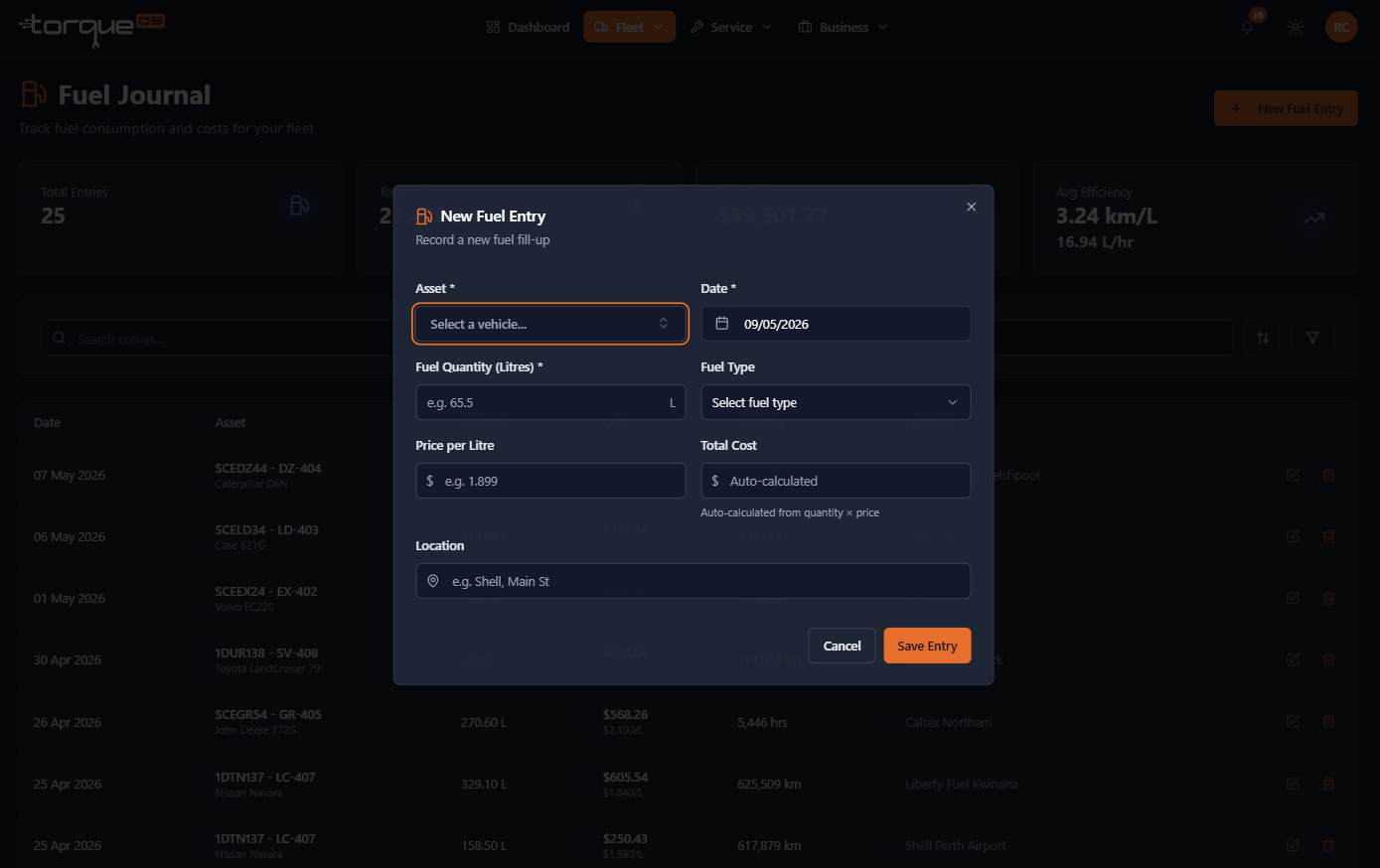
Log a fuel entry
- From the navbar, open Fuel Journal.
- Click New entry.
- Pick the asset, enter the date, litres, dollars, and the odometer at fill. Tick Full tank if the tank was filled completely (this is what the consumption calculation uses).
- Optionally add the location and notes.
- Save.
Filtering & searching
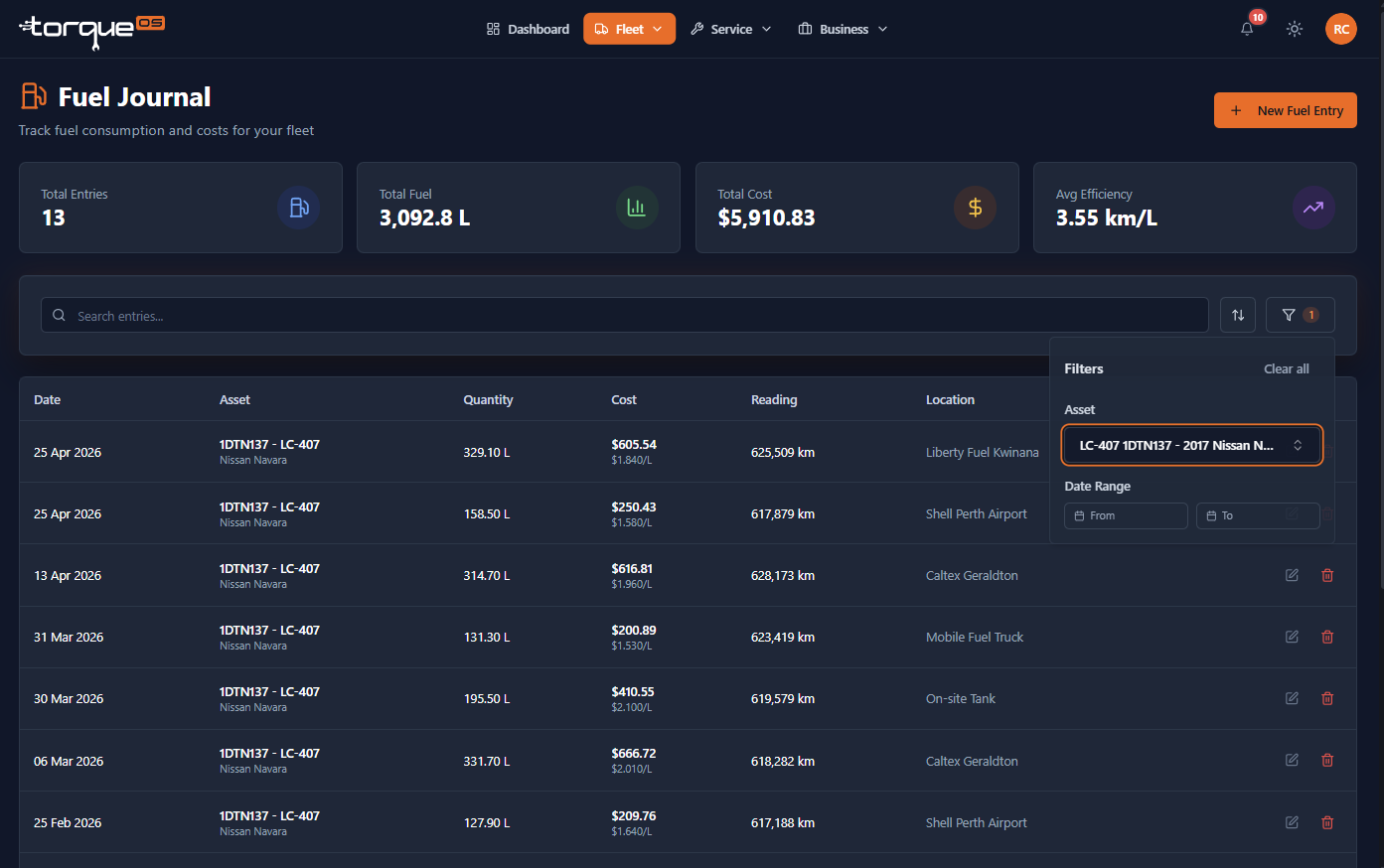
Filter by asset to track one truck, by date range to compare months, or both. The list view shows totals at the bottom — handy for accounting reconciliation.
Consumption stats
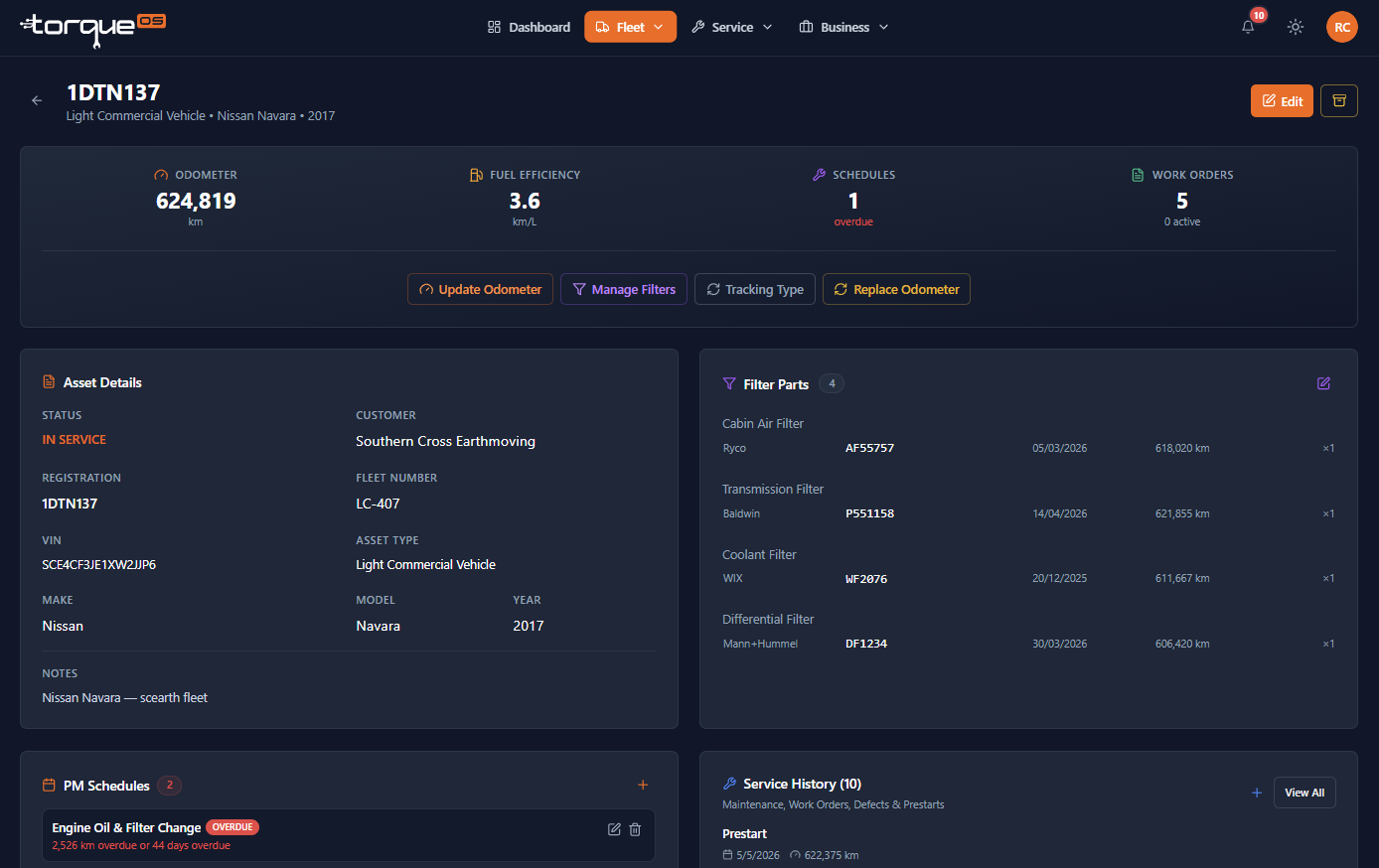
Open any asset detail page and scroll to Fuel to see:
- Lifetime average L/100km (or km/L)
- Last 10 entries and rolling consumption
- Total spend over a date range
The calculation needs at least two consecutive fills marked as full-tank to be reliable — partial fills are still recorded but don't feed the average until the next full tank.
Workshop visibility
Fuel records stay private to your fleet — workshops don't see your fuel data even when linked. If you want to share fuel data with a workshop (e.g. for warranty diagnosis), download the CSV and email it.
Related guides
Still stuck? Email support@torqueos.net with your tenant name and a brief description and we'll get back to you the same business day.